ChatGPT Voice Mode is now embedded directly into the main ChatGPT interface, letting you talk, type, and view responses on a single screen instead of juggling a separate “voice-only” mode. This unified experience is rolling out across mobile and web, turning ChatGPT Voice Mode from a side feature into the default way many people will interact with the chatbot.
What Changed With ChatGPT Voice Mode
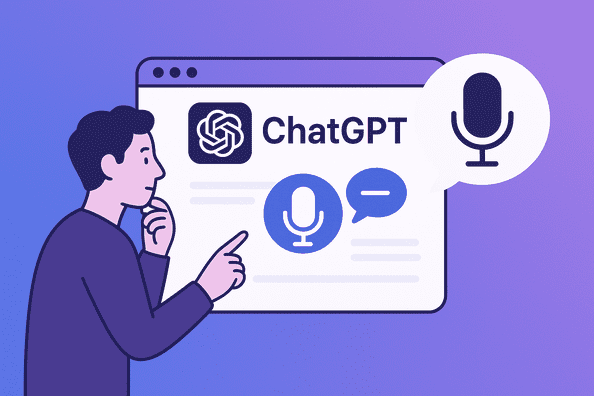
OpenAI has merged the old voice experience into the normal chat window, so you can tap the microphone and start speaking inside any conversation without switching modes. While you talk, ChatGPT Voice Mode streams back answers as on-screen text, spoken audio, and even visuals like images or maps in real time.
This change also keeps a full transcript within the same chat, so you can scroll back, copy important details, or move from listening to reading without losing context. For those who still prefer the older layout, there is an option in settings to re-enable a more traditional voice-only mode, at least during the transition period.
Why OpenAI Integrated Voice Into The Main Interface
OpenAI’s move reflects a broader shift toward multimodal, real-time AI that blurs the lines between typing, talking, and seeing. The underlying models already support text, audio, and visuals in a single neural network, so keeping voice in a separate interface created unnecessary friction for everyday users.
Embedding ChatGPT Voice Mode directly into the primary interface also encourages more frequent use, because starting a voice conversation now feels as simple as unmuting yourself on a call. For OpenAI, this integration is a strategic way to showcase its low-latency speech-to-text and text-to-speech stack, which delivers responses in roughly a second or two, making voice interactions feel far more “live” than earlier versions.
How The New ChatGPT Voice Mode Works Under The Hood
Modern ChatGPT Voice Mode is powered by a mix of fast speech recognition, neural text-to-speech, and real-time streaming infrastructure. Incoming speech is transcribed by a low-latency speech-to-text engine, handled by the main ChatGPT model, and then synthesized back into natural-sounding audio using neural voices with more nuanced tone and pacing.
To keep the experience fluid, OpenAI uses streaming protocols such as WebRTC and optimized codecs to send audio in small chunks, reducing lag and bandwidth usage while maintaining voice quality. The result is a ChatGPT Voice Mode that feels much less like issuing commands to a robot and more like talking to a responsive assistant that can interrupt, correct itself, and adapt to how quickly you speak.
Key Features Of The Unified ChatGPT Voice Mode
In its integrated form, ChatGPT Voice Mode combines several capabilities that used to feel scattered or experimental. Here are core features that stand out:
- Multiple neural voices with varying accents, tones, and personalities, tuned for expressive, human-like delivery.
- Support for longer spoken prompts (up to around two minutes), so you can dictate detailed instructions or context in one go.
- Visual outputs (images, maps, and other media) that appear in the same chat while you are still speaking.
- Live transcripts of the entire conversation, enabling you to reread, edit, or share information without re-listening to audio.
Altogether, these upgrades turn ChatGPT Voice Mode from a novelty feature into a serious interface for work, learning, and everyday tasks.
Real-World Use Cases For ChatGPT Voice Mode
The most obvious use case is hands-free assistance: talking to ChatGPT while cooking, driving, or moving around your workspace. You can ask for recipes, reminders, directions, or quick explanations and have the responses read aloud while still seeing key details on screen when it is safe or convenient to look.
Another powerful scenario is long-form brainstorming and planning, where speaking is faster and more natural than typing. For example, you can verbally outline a product launch, content strategy, or lesson plan in one long prompt and let ChatGPT Voice Mode turn it into structured notes, lists, or email drafts you can refine afterward.
ChatGPT Voice Mode For Work And Productivity
Professionals can treat ChatGPT Voice Mode like an on-demand, voice-first productivity partner. You might dictate a meeting summary right after a call, have ChatGPT organize the key points, and then ask follow-up questions out loud to clarify decisions or next steps.
Because the unified interface keeps everything in a standard chat thread, that voice-generated content is always just a scroll away, searchable and editable like any other message. Knowledge workers can also use ChatGPT Voice Mode to quickly translate conversations, draft emails while on the move, or get instant explanations of documents and dashboards they describe verbally.
Learning, Teaching, And Skill Building With Voice
For students and lifelong learners, ChatGPT Voice Mode can mimic the feel of a patient tutor you can interrupt and question in real time. You can ask it to walk through a math concept, pause to ask “wait, explain that differently,” or request analogies until the idea clicks, all without touching the keyboard.
Language learners can practice conversations in their target language, letting ChatGPT reply in the same language and then switch to translations or grammar breakdowns on request. Since the model can maintain long, multi-turn voice sessions, learners can simulate realistic dialogues and receive corrections and explanations as they go.
Accessibility And Inclusion Benefits
One of the most important impacts of integrating ChatGPT Voice Mode into the main interface is accessibility. People who have difficulty typing, limited mobility, or temporary injuries can rely on voice for nearly everything in ChatGPT, from quick questions to complex workflows.
The combination of live transcripts and spoken responses supports users with visual impairments, reading difficulties, or attention challenges, since they can switch between reading and listening depending on what feels easiest at the moment. As the neural voices become more expressive and emotionally aware, they can also provide a more supportive experience for users who benefit from warmer, less robotic interactions.
ChatGPT Voice Mode For Creators And Developers
Content creators can use ChatGPT Voice Mode for fast ideation and drafting, speaking their ideas into the chat and immediately seeing them turned into structured outlines, scripts, or posts. This workflow is especially useful when inspiration strikes away from the keyboard, letting you capture thoughts in natural speech and refine them later on a bigger screen.
Developers benefit both as users and as builders, since OpenAI’s audio-focused APIs make it possible to bring similar real-time voice capabilities into custom apps. For instance, the audio chat API can handle long spoken instructions, segment them intelligently, and preserve context across multiple chunks, allowing developers to build support agents, educational tools, or productivity companions that behave similarly to ChatGPT Voice Mode.
How To Enable And Use ChatGPT Voice Mode
On the web or desktop, accessing ChatGPT Voice Mode is usually a matter of updating to the latest version and granting microphone permissions. Once enabled, a microphone icon appears next to the text input field; tapping it starts a voice session directly in the current chat, and tapping again stops recording so the model can finish its response.
Users can choose among available voices in settings and adjust preferences like language, speaking style, and sometimes response length. If the microphone is blocked or unavailable, ChatGPT will show error messages such as “mic access denied,” along with prompts to adjust browser or system permissions so Voice Mode can function correctly.
Privacy, Safety, And Data Concerns
With any always-listening or frequently-used voice feature, privacy questions naturally arise. Although ChatGPT Voice Mode requires explicit microphone activation and uses encrypted connections, users should still be mindful of where and how they share sensitive information in spoken form, just as they would with text.
It is also worth remembering that transcripts of voice conversations are stored as part of your chat history unless you disable history or data-sharing settings. For people working with confidential material, it may be safer to rely on enterprise plans or dedicated configurations that offer stricter data controls and clearer compliance guarantees.
Limitations And Current Pain Points
Despite major improvements, ChatGPT Voice Mode is not perfect. Speech recognition can still mishear names, jargon, or accented speech, and the synthesized voice may occasionally produce awkward intonation or strange artifacts.
The model is also susceptible to the same hallucination issues seen in text mode, sometimes confidently stating incorrect facts or misinterpreting ambiguous spoken prompts. In noisy environments, background sounds can further degrade accuracy, making a quick typed prompt more reliable than a rushed voice request.
Practical Tips To Get The Most From ChatGPT Voice Mode
A few habits can dramatically improve your experience with the integrated ChatGPT Voice Mode. Speaking clearly and at a moderate pace helps the transcription system capture more accurate text, especially when mentioning technical terms or names.
It also helps to structure your spoken prompts the way you would a good written prompt: set context, specify the task, and outline format preferences. Finally, use interruptions intentionally—if the response is going off track, cut it short, clarify what you meant, and steer the conversation rather than waiting for a long answer to finish.
The Future Of Conversational Interfaces
Integrating ChatGPT Voice Mode into the main interface hints at where conversational computing is heading. As latency drops and multimodal models mature, the distinction between “chatbot,” “voice assistant,” and “search engine” will blur, replaced by a single interface that you talk to, type into, and show things to.
Expect future iterations to deepen context awareness, emotional nuance, and real-time collaboration, potentially allowing multiple people to converse with the same AI in shared spaces. In that world, ChatGPT Voice Mode will likely be less of a feature and more of the default way people expect to interact with intelligent systems.
Why This Integration Matters For Everyday Users
For everyday users, this update means less friction and more natural interactions. Instead of deciding whether to use “text mode” or “voice mode,” you simply open ChatGPT and express yourself however feels easiest in the moment—typing, talking, or switching between both.
By combining expressive neural voices, fast streaming, and a unified interface, ChatGPT Voice Mode makes AI feel more like a flexible collaborator than a rigid tool. Used thoughtfully, it can enhance productivity, accessibility, and creativity, while still leaving room for you to control privacy, pace, and how deeply it integrates into your daily routines.